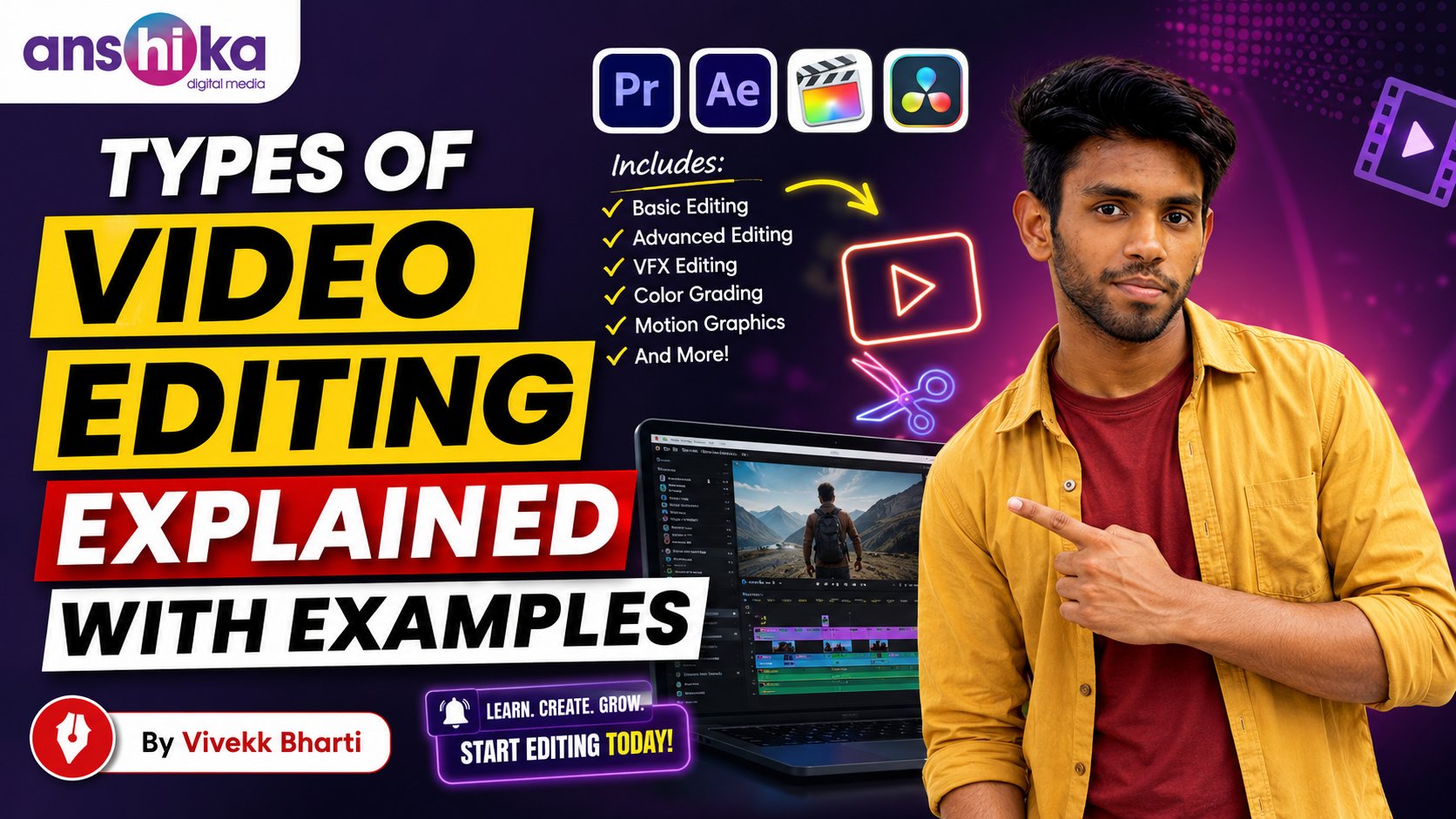
Video editing is one of the most powerful creative skills in the modern digital world. Every movie, YouTube video, advertisement, documentary, Instagram reel, podcast, television show, and online course depends on editing to communicate ideas effectively. Video editing is not simply about cutting clips together; it is the process of shaping emotions, storytelling, timing, engagement, and visual experience.
In today’s content-driven era, businesses, creators, influencers, brands, educators, and entertainment companies all require professional video editing services. As technology evolves, different editing styles and techniques have emerged to fulfill unique purposes. Some editing styles focus on cinematic storytelling, while others are designed for fast-paced social media engagement. Understanding the different types of video editing helps creators choose the right editing method for their projects.
This blog explains the major types of video editing in detail along with practical examples, tools, benefits, workflows, and industry applications.
1. Linear Video Editing
Linear editing is one of the oldest forms of video editing. In this method, clips are arranged in a fixed sequence. Editors work from beginning to end without changing earlier sections easily. During the early television and film production era, editors used tape-based systems where footage was physically cut and assembled in order.
Features of Linear Editing:
• Sequential editing workflow
• Difficult to make changes after final assembly
• Time-consuming process
• Mostly used in traditional broadcasting systems
Example:
Suppose a news channel records an interview and adds intro footage, interview clips, and outro graphics in a fixed order. Once finalized, changing the middle section becomes difficult without re-editing the sequence.
Advantages:
• Simple editing structure
• Useful for basic broadcasting tasks
• Easy to understand for beginners
Disadvantages:
• Very limited flexibility
• Editing revisions consume more time
• Not suitable for complex productions
Today, linear editing is rarely used because non-linear editing systems provide greater flexibility and efficiency.
2. Non-Linear Video Editing
Non-linear editing is the modern standard used in almost every professional editing environment. Editors can access any clip instantly and rearrange footage without affecting the original files. This method uses software applications like Adobe Premiere Pro, Final Cut Pro, DaVinci Resolve, and Filmora.
Features of Non-Linear Editing:
• Flexible workflow
• Easy drag-and-drop functionality
• Real-time editing capabilities
• Faster revisions and modifications
Example:
A YouTube creator editing a vlog can rearrange scenes, remove mistakes, add transitions, and insert background music without damaging the original footage.
Advantages:
• High editing flexibility
• Faster production speed
• Supports advanced effects and animations
• Professional-quality output
Disadvantages:
• Requires computer systems with strong performance
• Advanced software may have learning curves
Non-linear editing has transformed content creation by making professional editing accessible to creators worldwide.
3. Offline Video Editing
Offline editing refers to the process of editing low-resolution copies of video footage before finalizing the project in full quality. Editors use proxy files to reduce system load and improve editing speed.
Features:
• Lightweight editing workflow
• Faster processing on slower computers
• Efficient for large film projects
Example:
A filmmaker working with 8K cinema footage creates low-resolution copies to edit efficiently. Once editing decisions are complete, the original high-resolution files replace the proxies during export.
Advantages:
• Smooth editing experience
• Saves storage and processing power
• Ideal for high-resolution productions
Disadvantages:
• Requires relinking original footage later
• Additional workflow management needed
Offline editing is extremely common in film production and large commercial projects.
4. Online Video Editing
Online editing is the final stage where full-resolution footage, effects, transitions, color grading, and audio enhancements are completed before final export.
Features:
• High-quality finishing process
• Final rendering and mastering
• Color correction and audio polishing
Example:
After editing a documentary using proxy files, the editor replaces all temporary footage with original high-quality files to export the final cinematic version.
Advantages:
• Professional final quality
• Accurate color and sound adjustments
• Supports advanced finishing tools
Disadvantages:
• Requires high-performance systems
• Rendering may take significant time
Online editing ensures the project looks polished and professional before publishing.
5. Cinematic Video Editing
Cinematic editing focuses on storytelling, emotional depth, pacing, and visual impact. This editing style is commonly used in movies, short films, music videos, and premium advertisements.
Features:
• Smooth transitions
• Emotional storytelling
• Color grading and cinematic effects
• Dramatic pacing
Example:
A wedding film editor uses slow-motion shots, emotional background music, cinematic color tones, and storytelling sequences to create an emotional wedding video.
Advantages:
• Creates emotional audience connection
• Produces visually stunning content
• Enhances storytelling quality
Disadvantages:
• Requires creativity and advanced editing skills
• Time-intensive editing process
Cinematic editing is highly valued in professional filmmaking and luxury brand campaigns.
6. Social Media Video Editing
Social media editing is designed for platforms like Instagram, YouTube Shorts, TikTok, and Facebook Reels. This style focuses on fast engagement, short attention spans, and visually dynamic content.
Features:
• Fast cuts and transitions
• Captions and animated text
• Vertical video formats
• Trend-based editing styles
Example:
An influencer creating fitness reels uses quick zooms, energetic music, subtitles, motion graphics, and speed ramps to keep viewers engaged.
Advantages:
• High audience engagement
• Ideal for viral content
• Fast-paced and entertaining
Disadvantages:
• Requires constant awareness of trends
• Short content lifespan
Social media editing has become one of the fastest-growing video editing careers globally.
7. Documentary Video Editing
Documentary editing focuses on factual storytelling and information presentation. Editors organize interviews, real footage, narration, and historical clips into meaningful narratives.
Features:
• Interview-based storytelling
• Real-life footage organization
• Narrative structure development
• Voiceover integration
Example:
A wildlife documentary combines animal footage, expert interviews, nature sounds, and narration to educate audiences about ecosystems.
Advantages:
• Educational and informative
• Builds strong storytelling skills
• Suitable for journalism and research
Disadvantages:
• Requires extensive footage organization
• Fact-checking is essential
Documentary editors play a major role in television, streaming platforms, and educational media.
8. Commercial Video Editing
Commercial editing is used for advertisements, brand promotions, and marketing campaigns. The primary goal is attracting customers and increasing sales.
Features:
• Strong visual branding
• Persuasive storytelling
• Product-focused editing
• Fast pacing for engagement
Example:
A smartphone advertisement highlights camera quality, performance, and design using cinematic product shots and energetic editing.
Advantages:
• High earning potential
• Strong demand from businesses
• Creative marketing opportunities
Disadvantages:
• Requires understanding of branding psychology
• Client revisions can be extensive
Commercial editing is essential in digital marketing and advertising industries.
9. Music Video Editing
Music video editing synchronizes visuals with audio rhythms and song emotions. Editors create visually engaging sequences that match the beat and mood of the music.
Features:
• Beat synchronization
• Dynamic transitions
• Creative visual effects
• Performance and storytelling combination
Example:
A rap music video includes fast cuts, color effects, transitions, and performance shots synced perfectly with the song beats.
Advantages:
• Highly creative editing style
• Great for artistic experimentation
• Builds strong rhythm understanding
Disadvantages:
• Requires excellent timing skills
• Heavy visual effects may increase workload
Music video editing is popular in the entertainment and digital creator industries.
10. Corporate Video Editing
Corporate editing focuses on professional business communication. Companies use corporate videos for training, presentations, recruitment, and branding.
Features:
• Clean professional visuals
• Informative structure
• Branding consistency
• Clear communication
Example:
A company creates an employee training video with presentation slides, narration, interviews, and instructional graphics.
Advantages:
• Stable professional demand
• Consistent project opportunities
• Suitable for long-term agency work
Disadvantages:
• Limited creative freedom
• Professional standards must be maintained
Corporate editing is important for internal and external business communication.
11. Event Video Editing
Event editing involves creating highlight videos from weddings, seminars, concerts, conferences, and celebrations.
Features:
• Multi-camera editing
• Emotional storytelling
• Audio synchronization
• Highlight creation
Example:
A wedding editor combines ceremony footage, speeches, couple interviews, and cinematic shots into a memorable wedding film.
Advantages:
• High demand during wedding and festival seasons
• Emotional storytelling opportunities
• Good freelance income potential
Disadvantages:
• Large footage management
• Tight delivery deadlines
Event editing is extremely popular among freelance editors.
12. Educational Video Editing
Educational editing focuses on creating learning-focused content for students, online courses, tutorials, and training programs.
Features:
• Informative visual presentation
• Text overlays and diagrams
• Clear audio narration
• Structured content flow
Example:
A digital marketing course uses screen recordings, animations, subtitles, and instructor footage to explain concepts clearly.
Advantages:
• Growing e-learning industry demand
• Meaningful educational impact
• Suitable for online course businesses
Disadvantages:
• Requires content clarity and organization
• Visual engagement must be maintained
Educational editing has expanded rapidly because of online learning platforms.
12. Educational Video Editing
Educational editing focuses on creating learning-focused content for students, online courses, tutorials, and training programs.
Features:
• Informative visual presentation
• Text overlays and diagrams
• Clear audio narration
• Structured content flow
Example:
A digital marketing course uses screen recordings, animations, subtitles, and instructor footage to explain concepts clearly.
Advantages:
• Growing e-learning industry demand
• Meaningful educational impact
• Suitable for online course businesses
Disadvantages:
• Requires content clarity and organization
• Visual engagement must be maintained
Educational editing has expanded rapidly because of online learning platforms.
13. News Video Editing
News editing focuses on delivering information quickly and accurately. Editors organize footage, headlines, interviews, and graphics for television or digital news platforms.
Features:
• Fast turnaround time
• Informative visuals
• Breaking news formatting
• Lower-third graphics integration
Example:
A news editor creates a political news package containing anchor voiceovers, interview clips, graphics, and live footage.
Advantages:
• Exciting work environment
• Strong demand in media industries
• Fast-paced career opportunities
Disadvantages:
• Tight deadlines
• High-pressure workflow
News editing requires speed, accuracy, and technical efficiency.
14. VFX Video Editing
VFX editing combines visual effects with video footage to create scenes that may not exist in reality.
Features:
• CGI integration
• Green screen editing
• Motion tracking
• Advanced compositing
Example:
A science-fiction movie uses VFX editing to create futuristic cities, explosions, and fantasy creatures.
Advantages:
• Highly creative field
• Strong demand in film and gaming industries
• High salary opportunities
Disadvantages:
• Complex software learning
• Resource-intensive production process
VFX editing is widely used in Hollywood films, gaming trailers, and advertisements.
15. Montage Editing
Montage editing combines multiple short clips to represent time progression, emotions, or achievements.
Features:
• Fast clip sequencing
• Emotional storytelling
• Music synchronization
• Time compression techniques
Example:
A fitness transformation video shows months of workouts, diet routines, and progress clips in a short motivational montage.
Advantages:
• Highly engaging storytelling method
• Perfect for motivational content
• Saves storytelling time
Disadvantages:
• Requires strong pacing control
• Music synchronization is important
Montage editing is commonly used in sports, fitness, and cinematic storytelling.
16. Continuity Editing
Continuity editing ensures scenes flow naturally without confusing the audience. Editors maintain consistent visuals, timing, and spatial orientation.
Features:
• Logical scene progression
• Consistent character positioning
• Smooth transitions
• Natural storytelling flow
Example:
In a conversation scene, continuity editing ensures camera angles match properly so viewers understand the interaction clearly.
Advantages:
• Professional storytelling quality
• Improves audience understanding
• Essential for films and dramas
Disadvantages:
• Requires detailed attention
• Mistakes can distract viewers
Continuity editing forms the foundation of professional filmmaking.
17. Jump Cut Editing
Jump cuts intentionally remove sections of footage to create faster pacing or stylistic impact.
Features:
• Quick pacing
• Direct storytelling
• Energetic presentation
• Popular in YouTube content
Example:
A vlogger removes pauses and unnecessary sentences to make videos more engaging and fast-paced.
Advantages:
• Retains viewer attention
• Speeds up storytelling
• Easy editing style for creators
Disadvantages:
• Overuse may appear distracting
• Requires proper rhythm balance
Jump cuts dominate modern online content creation.
18. Multi-Camera Editing
Multi-camera editing combines footage captured simultaneously from different camera angles.
Features:
• Multiple viewing perspectives
• Seamless angle switching
• Professional event coverage
• Real-time editing support
Example:
A live concert uses cameras positioned at different angles to capture performers, audience reactions, and stage visuals.
Advantages:
• Dynamic storytelling
• Professional production quality
• Useful for interviews and events
Disadvantages:
• Complex synchronization
• Large storage requirements
Multi-camera editing is common in sports broadcasting and live productions.
19. Color Grading and Finishing
Color grading adjusts the visual tone and mood of videos. Editors manipulate brightness, contrast, shadows, highlights, and color palettes.
Features:
• Visual mood enhancement
• Cinematic aesthetics
• Brand color consistency
• Professional finishing
Example:
A travel video uses warm orange tones to create a sunset cinematic atmosphere.
Advantages:
• Enhances visual quality
• Strengthens storytelling emotions
• Creates professional appearance
Disadvantages:
• Requires color theory understanding
• Incorrect grading can damage visuals
Color grading is one of the most valuable post-production skills.
20. AI-Powered Video Editing
Artificial intelligence is revolutionizing video editing by automating repetitive tasks.
Features:
• Automated subtitles
• Smart scene detection
• AI voice enhancement
• Auto color correction
Example:
Software automatically generates captions, removes background noise, and suggests cuts for social media videos.
Advantages:
• Faster editing workflow
• Beginner-friendly tools
• Increased productivity
Disadvantages:
• Limited creative decision-making
• Human creativity still required
AI tools are making video editing faster and more accessible than ever.
Best Software for Different Types of Editing
Adobe Premiere Pro:
Widely used for professional editing, YouTube content, commercials, and films.
DaVinci Resolve:
Popular for cinematic editing and advanced color grading.
Final Cut Pro:
Preferred by many Mac users for fast and smooth editing.
Filmora:
Beginner-friendly software for social media and educational content.
CapCut:
Extremely popular for mobile editing and short-form social media videos.
Avid Media Composer:
Used in Hollywood film and television production.
Skills Required for Professional Video Editing
To become a successful video editor, individuals should develop:
• Storytelling skills
• Creativity
• Timing and pacing understanding
• Audio editing knowledge
• Color correction skills
• Motion graphics understanding
• Software expertise
• Communication abilities
Career Opportunities in Video Editing
Video editing offers massive career opportunities across multiple industries:
• Film industry
• YouTube content creation
• Advertising agencies
• Digital marketing companies
• News channels
• Wedding production studios
• Online education platforms
• Social media agencies
• Freelancing marketplaces
Freelance editors can work globally and earn income from clients worldwide.
Future of Video Editing
The future of video editing looks extremely promising because video content consumption continues growing every year. Businesses now prioritize video marketing over traditional advertising methods. Social media platforms increasingly promote short-form video content, creating massive demand for skilled editors.
Artificial intelligence, virtual reality, augmented reality, and cloud-based collaboration tools will continue transforming editing workflows. Editors who continuously upgrade their skills will remain highly valuable in the industry.
Conclusion
Video editing is a diverse and powerful creative field with multiple styles and techniques designed for different purposes. From cinematic storytelling to social media content creation, every editing type plays a unique role in communication and entertainment.
Understanding the various types of video editing helps creators choose the right workflow, tools, and storytelling approach for their projects. Whether someone wants to work in filmmaking, YouTube content creation, advertising, or freelance editing, learning professional editing skills can open countless career opportunities.
As digital media continues expanding globally, video editing will remain one of the most in-demand and future-proof creative careers. People who master editing techniques, storytelling principles, and modern software tools can build successful careers while creating impactful visual experiences for audiences worldwide.